Mitsubishi MELSEC Tutorial
The Mitsubishi MELSEC programmable logic controllers (PLCs) are industry-leading devices designed to deliver efficient and reliable automation solutions. This tutorial series provides a comprehensive guide to understanding, programming, and maintaining MELSEC PLCs using GX Works3 and related tools. Whether you are a beginner or an experienced user, these tutorials cover everything from system setup to advanced ladder logic programming, debugging, and maintenance.
-
MELSEC Tutorial 01 – PLC System Configuration
MELSEC Tutorial 01 – System Configuration, Installation, and Wiring Setting up a MELSEC PLC system is the first step in…
-
MELSEC Tutorial 02 – PLC Module Configuration Diagram

MELSEC Tutorial 02 – Module Configuration Diagram Creating a module configuration diagram is a critical step in setting up a…
-
MELSEC Tutorial 03 – Ladder Program
MELSEC Tutorial 03 – Ladder Program In industrial automation, programming controls the behavior of devices and systems. MELSEC Ladder Programming…
-
MELSEC Tutorial 04 – Create a Ladder Program
MELSEC Tutorial 04 – Create a Ladder Program Industrial automation relies heavily on programming to implement control logic for machines…
-
MELSEC Tutorial 05 – Ladder Sequence Instructions
MELSEC Tutorial 05 – Ladder Logic Programming Sequence Instructions Ladder Logic Programming is a vital skill for developing control systems…
-
MELSEC Tutorial 06 – Ladders Timers and Counters
MELSEC Tutorial 06 – Ladder Logic Programming: Timer and Counter MELSEC Timers and counters are fundamental tools in ladder logic…
-
MELSEC Tutorial 07 – Ladder Logic Programming Data Transfer
MELSEC Tutorial 07 – Ladder Logic Programming: Data Transfer In ladder logic programming, data transfer instructions are crucial for moving…
-
MELSEC Tutorial 08 – Ladder Comparison Operations
MELSEC Tutorial 08 – Ladder Logic Programming: Comparison Operation In industrial automation, MELSEC comparison operations play a vital role in…
-
MELSEC Tutorial 09 – Ladder Arithmetic Operations
MELSEC Tutorial 09 – Ladder Logic Programming: Arithmetic Operations MELSEC arithmetic operations form the backbone of ladder logic programming, enabling…
-
MELSEC Tutorial 10 – Ladder Input Instructions
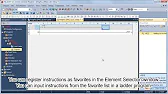
MELSEC Tutorial 10 – Ladder Logic Programming: Input Instructions MELSEC Ladder logic programming depends on input instructions to define how…
-
MELSEC Tutorial 11 – Creating ladder logic comments
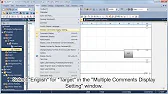
MELSEC ladder logic Creating Comments, Statements, and Notes When programming with ladder logic, clarity is essential to ensure the program…
-
MELSEC Tutorial 12 – Writing to PLC
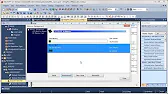
MELSEC Tutorial 12 – Writing to PLC In this tutorial, we’ll explore how to write programs to a PLC using…
-
MELSEC Tutorial 13 – Debugging and Maintenance
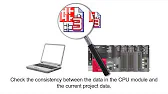
MELSEC Tutorial 13 – Debugging and Maintenance Efficient debugging and maintenance are critical aspects of working with MELSEC PLC systems,…
Introduction to Mitsubishi MELSEC
The MELSEC series offers a range of PLCs designed to cater to diverse industrial automation requirements. Known for their robustness, scalability, and advanced features, MELSEC PLCs streamline operations in manufacturing, processing, and other automation-intensive environments.
The GX Works3 programming software complements the hardware, providing an intuitive interface for system design, programming, debugging, and maintenance.
What You’ll Learn
- System Configuration: Setting up MELSEC PLC hardware, wiring, and module configuration.
- Ladder Logic Programming: Understanding the basics and advanced concepts of ladder programming.
- Debugging and Maintenance: Using GX Works3 to troubleshoot programs and maintain system performance.
- Integration and Connectivity: Connecting MELSEC PLCs to other devices and networks for seamless operation.
Key Features of MELSEC PLCs
- Modular Design: Supports scalable configurations for diverse applications.
- High-Speed Processing: Ensures quick response times for critical automation tasks.
- Flexibility: Compatible with various input/output devices and communication networks.
- Reliability: Built for rugged industrial environments.
Step-by-Step Tutorials
MELSEC Tutorial 01: System Configuration, Installation, and Wiring
Learn how to set up the MELSEC PLC system, connect modules, and ensure proper wiring for optimal performance.
MELSEC Tutorial 02: Module Configuration Diagram
Master the basics of creating module configuration diagrams in GX Works3.
MELSEC Tutorial 03–10: Ladder Logic Programming
A series of tutorials covering essential ladder logic concepts such as:
- Timers and Counters
- Data Transfer and Arithmetic Operations
- Comparison and Sequence Instructions
MELSEC Tutorial 11–13: Debugging and Maintenance
Learn how to monitor, debug, and maintain your MELSEC PLC systems using GX Works3 tools.
Why Choose MELSEC PLCs?
- Ease of Programming: GX Works3 offers a user-friendly interface with advanced debugging features.
- Advanced Networking: Seamlessly connect to field devices, SCADA systems, and HMIs.
- Customizability: Tailor the system to meet specific industrial needs.
Conclusion
Mitsubishi MELSEC PLCs and GX Works3 together form a powerful combination for industrial automation. Through this tutorial series, you’ll gain a solid foundation in using MELSEC PLCs effectively, enabling you to optimize processes and improve productivity.