Mitsubishi PLC – GX Works2 Operation
GX Works2 is Mitsubishi Electric’s versatile programming software tailored for the development and operation of programmable logic controllers (PLCs). Whether you are a beginner or a seasoned engineer, understanding the operation of Mitsubishi PLC GX Works2 is crucial for efficient automation system programming. This guide offers an overview of its operation, key features, and step-by-step instructions to help you get started with Mitsubishi PLCs.

-
01 Your First Mitsubishi PLC – Introduction

Your First Mitsubishi PLC – Introduction Entering the world of programmable logic controllers (PLCs) can be overwhelming, but with Mitsubishi…
-
02 Mitsubishi PLC – Sequence Control

Your First Mitsubishi PLC – Sequence Control Entering the world of programmable logic controllers (PLCs) can be overwhelming, but with…
-
03 Mitsubishi PLC – Performing Sequence Control
Your First Mitsubishi PLC – Performing Sequence Control Entering the world of programmable logic controllers (PLCs) can be overwhelming, but…
-
04 Mitsubishi PLC – Sequence Control Wiring Training
Your First Mitsubishi PLC – Sequence Control Wiring Training Entering the world of programmable logic controllers (PLCs) can be overwhelming,…
-
05 Mitsubishi PLC – Wiring Diagram, Sequence Diagram
Your First Mitsubishi PLC – Wiring Diagram, Sequence Diagram Entering the world of programmable logic controllers (PLCs) can be overwhelming,…
-
06 Mitsubishi PLC – PLC Hardware

Your First Mitsubishi PLC – PLC Hardware Entering the world of programmable logic controllers (PLCs) can be overwhelming, but with…
-
07 Mitsubishi PLC – PLC Structure
Your First Mitsubishi PLC – PLC Structure Entering the world of programmable logic controllers (PLCs) can be overwhelming, but with…
-
08 Mitsubishi PLC – PLC Wiring Diagram
Your First Mitsubishi PLC – PLC Wiring Diagram Entering the world of programmable logic controllers (PLCs) can be overwhelming, but…
-
09 Mitsubishi PLC – PLC Program
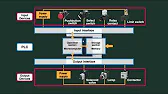
Your First Mitsubishi PLC – PLC Program Entering the world of programmable logic controllers (PLCs) can be overwhelming, but with…
-
10 Mitsubishi PLC – GX Works2 Operation

Mitsubishi PLC – GX Works2 Operation GX Works2 is Mitsubishi Electric’s versatile programming software tailored for the development and operation…
-
11 GX Works2 – Software and Screen Structure
Mitsubishi PLC – GX Works2 Software and Screen Structure GX Works2 software is Mitsubishi Electric’s versatile programming software tailored for…
-
12 Mitsubishi PLC – GX Works2 Program
Mitsubishi PLC – GX Works2 Program Using the Function Key GX Works2 software is Mitsubishi Electric’s versatile programming software tailored…
-
13 GX Works2 Writing a Project to PLC
Mitsubishi PLC – GX Works2 Writing a Project to PLC GX Works2 software is Mitsubishi Electric’s versatile programming software tailored…
-
14 GX Works2 Checking the Operation
Mitsubishi PLC – GX Works2 Checking the Operation GX Works2 software is Mitsubishi Electric’s versatile programming software tailored for the…
-
15 Mitsubishi PLC – GX Works2 Sequence Instructions
Mitsubishi PLC – GX Works2 Sequence Instructions GX Works2 software is Mitsubishi Electric’s versatile programming software tailored for the development…
-
16 Mitsubishi PLC – GX Works2 Sequence Program

Mitsubishi PLC – GX Works2 Sequence Instructions How to Program GX Works2 software is Mitsubishi Electric’s versatile programming software tailored…
-
17 Mitsubishi PLC – GX Works2 Program Exercise
Mitsubishi PLC – GX Works2 Program Exercise GX Works2 software is Mitsubishi Electric’s versatile programming software tailored for the development…
-
18 Mitsubishi PLC – GX Works2 Example Escalator Control
Mitsubishi PLC – GX Works2 Example Escalator Control GX Works2 software is Mitsubishi Electric’s versatile programming software tailored for the…
-
19 Mitsubishi PLC – Training Summary
Mitsubishi PLC – Training Summary The Mitsubishi PLC training series provides a comprehensive understanding of Mitsubishi Electric’s programmable logic controllers…
Key Features of GX Works2
- Comprehensive Support: Compatible with Mitsubishi’s FX, L, and Q series PLCs.
- Multiple Programming Languages: Supports ladder logic, structured text, and function block diagram (FBD).
- Real-Time Monitoring: Enables debugging and monitoring during operation.
- Intuitive Interface: Simplifies project navigation with clear menus and parameter settings.
- Seamless Integration: Works smoothly with other Mitsubishi software for expanded functionality.
Getting Started with GX Works2
1: System Requirements and Installation
- Ensure your PC meets the minimum system requirements:
- Operating System: Windows 7 or later.
- Processor: 2.0 GHz or higher.
- RAM: At least 4 GB.
- Install GX Works2 using a licensed installer, following the on-screen instructions.
- Launch the software and activate your license if prompted.
2: Creating a New Project
- Open GX Works2 and select File > New Project.
- Choose your PLC model from the dropdown menu (e.g., FX3U, Q06UDE).
- Assign a name to your project and specify a save location.
- Click OK to create the project.
3: Configuring PLC Parameters
- Navigate to Parameter Settings in the main menu.
- Set up basic parameters:
- CPU Type: Match the PLC model being used.
- Communication Settings: Define the connection type (USB, Ethernet, RS-232).
- Save the settings to ensure they apply to the current project.
4: Writing a Ladder Logic Program
- Open the Program Editor within GX Works2.
- Select Ladder Logic as your programming language.
- Begin by adding rungs to define the control logic:
- Use inputs (e.g., X0, X1) and outputs (e.g., Y0, Y1).
- Apply timers, counters, and arithmetic instructions as needed.
- Save your program frequently to avoid data loss.
5: Testing and Debugging
- Connect the PLC to your PC using the appropriate communication cable.
- Select Online > Write to PLC to transfer the program to the PLC.
- Use the Monitor Mode to observe real-time operation and debug issues:
- Monitor device values, timers, and counters.
- Modify parameters directly if necessary.
6: Advanced Features
- Structured Text Programming: Access advanced programming options for complex algorithms.
- Function Blocks: Simplify repetitive tasks by creating reusable blocks.
- Data Logging: Record and analyze system performance over time.
Tips for Effective Operation
- Use Comments: Add comments to your ladder logic program to make it easier to understand and maintain.
- Backup Regularly: Save backups of your project files to prevent data loss.
- Leverage Tutorials: Mitsubishi offers extensive online resources to enhance your skills.
Mastering GX Works2 enables efficient PLC operation, leading to better system performance and reduced downtime. With its intuitive features and powerful capabilities, GX Works2 is an essential tool for Mitsubishi PLC users aiming to achieve seamless automation.