Robot MELFA Programming
Mitsubishi Electric’s MELFA robots are renowned for their precision, speed, and adaptability in industrial automation. To maximize their potential, programming these robots efficiently is crucial. This guide introduces the essentials of MELFA robot programming, focusing on the tools, methods, and best practices required to create optimized automation solutions.
-
Robot Melfa programming – 01 New project creation
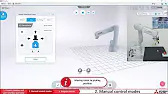
Robot Melfa programming – 01 New project creation This series provides a step-by-step approach to mastering Mitsubishi MELFA robot programming.…
-
Robot Melfa programming – 02 Manual control modes
Robot Melfa programming – 02 Manual control modes This series provides a step-by-step approach to mastering Mitsubishi MELFA robot programming.…
-
Robot Melfa programming – 03 Project tree overview
Robot Melfa programming – 03 Project tree overview This series provides a step-by-step approach to mastering Mitsubishi MELFA robot programming.…
-
Robot Melfa programming – 04 Parameter Weight and Size
Robot Melfa programming – 04 Parameter Weight and Size This series provides a step-by-step approach to mastering Mitsubishi MELFA robot…
-
Robot Melfa programming – 05 Parameter Tool
Robot Melfa programming – 05 Parameter Tool This series provides a step-by-step approach to mastering Mitsubishi MELFA robot programming. From…
-
Robot Melfa programming – 06 Automatic Calculation
Robot Melfa programming – 06 Parameter Tool Automatic Calculation This series provides a step-by-step approach to mastering Mitsubishi MELFA robot…
-
Robot Melfa programming – 07 Parameter Collision detection
Robot Melfa programming – 07 Parameter Collision detection This series provides a step-by-step approach to mastering Mitsubishi MELFA robot programming.…
-
Robot Melfa programming – 08 Parameter Free Plane Limit
Robot Melfa programming – 08 Parameter Free Plane Limit This series provides a step-by-step approach to mastering Mitsubishi MELFA robot…
-
Robot Melfa programming – 09 Parameter User defined area
Robot Melfa programming – 09 Parameter User defined area This series provides a step-by-step approach to mastering Mitsubishi MELFA robot…
-
Robot Melfa programming – 10 Program editor
Robot Melfa programming – 10 Program editor This series provides a step-by-step approach to mastering Mitsubishi MELFA robot programming. From…
-
Robot Melfa programming – 11 Teaching Box Saving the position
Robot Melfa programming – 11 Teaching Box Saving the position This series provides a step-by-step approach to mastering Mitsubishi MELFA…
-
Robot Melfa programming – 12 The first program
Robot Melfa programming – 12 The first program This series provides a step-by-step approach to mastering Mitsubishi MELFA robot programming.…
-
Robot Melfa programming – 13 Debugging in manual mode
Robot Melfa programming – 13 Debugging in manual mode This series provides a step-by-step approach to mastering Mitsubishi MELFA robot…
-
Robot Melfa programming – 14 Debugging in automatic mode
Robot Melfa programming – 14 Debugging in automatic mode This series provides a step-by-step approach to mastering Mitsubishi MELFA robot…
-
Robot Melfa programming – 15 Advanced program
Robot Melfa programming – 15 Advanced program This series provides a step-by-step approach to mastering Mitsubishi MELFA robot programming. From…
-
Robot Melfa programming – 16 Work in automatic mode
Robot MELFA Programming – 16 Work in automatic mode This series provides a step-by-step approach to mastering Mitsubishi MELFA robot…
Why MELFA Robots?
Key Advantages
- High Precision: MELFA robots are designed for tasks requiring extreme accuracy, such as assembly and material handling.
- Flexibility: These robots can be programmed for various applications, including pick-and-place, welding, and inspection.
- Integration: Seamlessly integrates with Mitsubishi Electric’s PLCs and automation devices.
- Advanced Software: Supported by user-friendly programming tools such as RT ToolBox3 and MELFA Basic V for custom logic development.
MELFA Programming Tools
1. RT ToolBox3
RT ToolBox3 is the primary software for MELFA robot programming, offering features like:
- Graphical Interface: Allows drag-and-drop programming and easy visualization of robot movements.
- Simulation: Test and refine programs in a virtual environment before deployment.
- Diagnostics: Troubleshoot robot issues with real-time monitoring.
2. MELFA Basic V
A structured text-based programming language specifically for MELFA robots. It provides powerful commands for:
- Motion Control: Define precise movements, including linear, joint, and circular motions.
- Condition Handling: Program conditional logic and responses to external inputs.
- Integration: Communicate with external devices and controllers.
Getting Started with MELFA Programming
1: Setup and Connection
- Install RT ToolBox3 on your PC.
- Connect the robot to your PC or PLC via Ethernet or other communication interfaces.
- Configure the communication settings in RT ToolBox3.
2: Create Your First Program
- Launch RT ToolBox3 and create a new project.
- Add the robot model to the workspace and verify system parameters.
- Use the graphical editor to define basic movements, such as:
- Picking an object from a specific location.
- Placing the object in another position.
3: Testing and Simulation
- Use the simulation mode in RT ToolBox3 to test the program.
- Adjust the speed, position, or motion paths as needed.
- Resolve any errors or conflicts flagged by the diagnostic tool.
4: Deploy to the Robot
- Upload the program to the robot’s controller.
- Test the program in a real-world environment, ensuring safety protocols are followed.
- Monitor the robot’s performance and make adjustments if necessary.
Advanced MELFA Programming
Integrating with External Devices
- Use MELFA Basic V to establish communication between the robot and devices like vision systems or conveyors.
- Program the robot to respond dynamically to sensor inputs.
Optimizing Motion Paths
- Utilize motion optimization tools in RT ToolBox3 to reduce cycle times.
- Avoid unnecessary movements to increase efficiency and extend the robot’s lifespan.
Error Handling and Recovery
- Implement error-handling routines to detect and resolve issues without human intervention.
- Program fallback actions to ensure system continuity during minor faults.
Best Practices
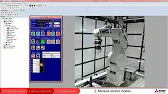
Plan Before MELFA Programming: Define clear objectives and workflows to simplify programming and debugging. Leverage Simulation: Use RT ToolBox3’s simulation features to perfect programs before deploying. Prioritize Safety: Incorporate safety zones and emergency stops in your programming. Keep Documentation: Maintain detailed documentation of your programs for future reference and troubleshooting.